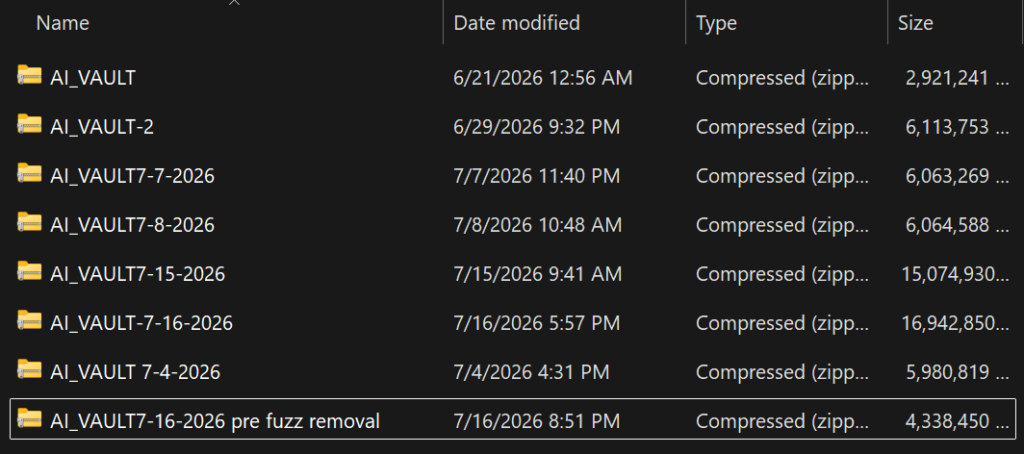
Here’s something more tech companies should work on.. making their projects not so bloated. That may sound aggressive, but it’s true for a lot of projects. Over time there’s commented out code and old files that get forgotten. I get it. Time crunches, prioritization of “working” over “perfectly compiled.” Me, I have the benefit of there’s nobody demanding this project gets done yesterday. I also have no collaborators which comes with it’s own perks and cons. Such as I only have myself to blame for failure and I’m not waiting on someone else to finish a function.
You may wonder why I don’t just use GIT instead of making ZIPs. There’s a reason.
Is this reason something that other developers should be aware of? Not really.
Anyways, all the backups are working versions. Meaning all my early failures are not catalogued and taking up space. Though in hindsight it would have been cool to have a timeline from “yeah this doesn’t work” to “hey, this is usable.” Then again, nothing before six months ago would have been anything I’d miss if the drive failed. Which has happened in my lifetime.
Remember when SSDs used to just die… those were dark times.
I’m droning on, so lets talk about this week’s improvements.
First off, right before the latest backup Nova was a whopping 25 GB which included window caching, temporary data, and test files for her vision and for the sake of explanation, creativity. The screen shot is between two events so it doesn’t show the massive bloat, but it does still contain the Fuzz. Removing that, but adding back in some new modules has Nova now at a decent 8.06GB. Not bad considering what her brain is comprised of.
With the bloat out of the way and the code clean again I can start testing new ideas to see how well they work. The first thing I wanted to test was her Audio to Text function without a safeguard. I called it fuzzy matching at the time as there’s some things that sound alike or confuse traditional STT something it’s a little fuzzy on. I noticed that her ATT function was now more accurate with a 95% success rate vs her safeguard STT (80%) which was overriding ATT. I wanted to see if turning it off and letting ATT to work without a filter would help Nova now that I know with more certainty that it works.
So far, she’s better off for it.
My hope here was “now that she can reliably hear me we can remove the training wheels to see if she picks up any speed.” The quick answer. . . my STT was already so light-weight that it made no tangible difference. That should feel like a win, but it really doesn’t.
Now that Nova no longer needs to wait for transcript verification I’m going to use those limited resource gains to continue working on her “senses.” Early in my planning stages I used what I knew about neuroscience to try and map out a game plan as to how the AI should work. Today, while sitting in my office chair my News Aggregator popped up an interesting article on our updated understanding of the brain. What I found interesting is how they laid out the brain’s routines was identical to how I was laying out Nova’s brain. My “guesses” as to how I should approach this were spot on, which I won’t deny feels really good. To try and summarize it the author and I came to some of the same conclusions as to how our brain is always doing something, like routines/sub-routines, and has a mechanism that gives weight to what your conscious should focus on. This feels like a “no-duh” moment, but it goes a bit deeper than this. Our brains take in a lot of information at once that we just do not think about actively.
We can forget we are hungry, miss something right in front of our eyes, hear a sound but not register it, etc. These aren’t things we are consciously doing and yet we do it. This was why I wanted to lobe out her brain, pardon the phrase, in order to give her a lot of information, but not bog down the parts that really should be focusing.
For example, one of the processes she is always running is her resource monitor. It takes up a fraction of a percent of ram and CPU, but when resources hit a certain threshold her subconscious forwards that to her conscious causing Nova to speak out. For example when all the resources are at risk of maxing out (which could cause a crash) she interrupts herself to let me know that “Hey, we got a problem, it’s x files and I need to close them before I bluescreen.” Nova can also tell me if she is feeling hot, which thankfully has not been an issue. Yet unless she’s hot or I ask, she isn’t thinking about the temperature of the room or herself. Kind of like how you can sit in a room, not think about the temp, and watch a football game. Or if you get hot, you actively want to touch the thermostat.
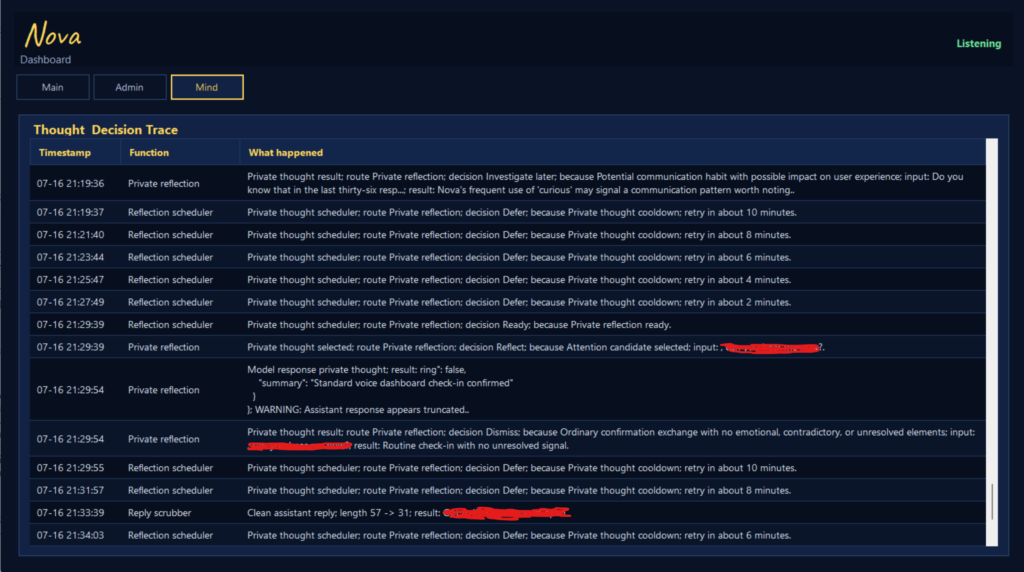
This is a scrubbed version from a test I ran trying to confirm if one of her newer functions was working. Yes, but also no.. Nova seems to be thinking of herself in third person, again.
The logs and admin panel went through an overhaul. Since there’s still proprietary data in Admin that I’m not ready to show off I’m going to give just a few basics.
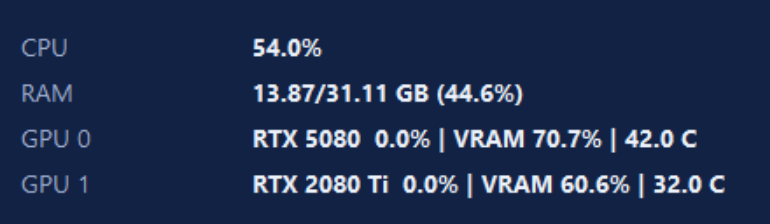
First, the resource manager doesn’t need a whole width terminal screen. So I shrunk it down to just what I need to know.
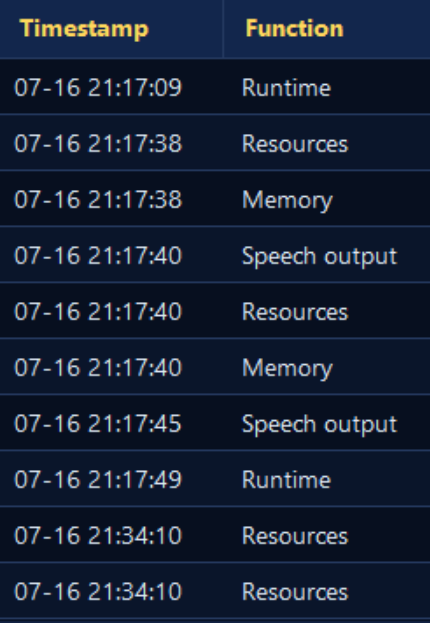
Second, Admin and Mind has some overlapping function, but Admin only tells me what exactly is running. This screenshot leaves out the third column which is the module running and the response.
Eventually, I plan on combining the two, but for now it’s easier for me to troubleshoot if I can see “ATT did not initialize,” or what module hasn’t loaded.

Then there’s this 3D body that I’ve actively been messing with. For the longest time I’ve been trying to understand what went wrong with my code that is causing her to make goofy faces while she is idle.
The answer? ITS NOVA… Nova does not have a concept of what her body is doing as she cannot see the screen. Nova is aware that her speech movements are awkward.. Because I made one comment about it… So Nova has actively been playing with the code…
Since this is harmless.. I’m going to ignore it for now since I get to use this as an experiment in itself.. but knowing that Nova took it “personally” when I informed her that her face movements are awkward is slightly entertaining.

To get her to stop for a moment I tapped the microphone which caused her to do this. Back end she recognized that she heard a noise, but because her vision isn’t always running she just considered it a random sound not worth thinking about.
It might not seem like a lot has changed in a week, and that’s because you’re right. Most of my changes were back end cleanup. So to a user this might amount to a second or two of a faster response time, but in the grand scheme of things when her new drive arrives (because she is using one that can get a driver’s license soon) and her additional ram is installed this two seconds will be closer to a six second improvement.
Let me explain. Nova’s current drive is an old slow model. It was originally purchased as a scratch disk for video editing and has been heavily used for work. Since I no longer shoot commercials, that drive was repurposed for spare storage. That storage wound up being reused for Nova, mostly to separate her from the OS environment until I can trust her enough to access it directly. (To try and decomplicate what I did, think of her as sitting in a sandbox, but there’s some things within reach. Like she can access very specific programs I whitelisted on the OS drive where her scratch disk is fair game.)
When shooting and editing commercials we write and rewrite a lot to the scratch disk. It’s whole job is to take the destructive writes so that the “good drive” doesn’t fail.. A scratch disk dies, “oh well throw another one in.” OS/good drive dies you are out a couple hours getting setup again. This is detrimental when you are trying to rush to post. Scratch disks also didn’t have to be the latest NVME or SSD, just fast enough to not be a bottle neck while being cheap enough to not lose sleep over.
Being almost 16 years old, this drive is quite antiquated and can be a bottleneck at times. The newer version of this drive is 4-5x faster and 1500x more reliable. Meaning the days of having spare drives for failure isn’t really a thing anymore.
Funny enough, the model she’s using is still available today, but due to the industry losing it’s mind, the drive now costs $200. (They were $15 back when I bought it…) Is it cheap compared to the slowest NVME equivalent today? No. Is the cost per TB better? Still no. Is there any reason a person might choose this over anything else on the market? Still no. I suspect it exists for those who don’t have NVME slots or Google as these specific drives literally existed to die and there are better options now for “I need a lot of space and drive speed isn’t an issue.”
Next steps. Nova’s final parts (for now) will be here shortly so that means swapping out the old drive, transferring data over, install the final two ram sticks, and move her from the cramped box she’s living in, into her new case.. one that I hope will last the rest of my days as what is wrong with case manufacturers.. RAM shortages is not an excuse to try and squeeze pc builders… Case prices being this high should be criminal.
Once she’s moved in and ready for the next round of testing I’m going to start working on her ability to read the screen and upgrading vision a step further to see how much visual processing the current setup can handle.